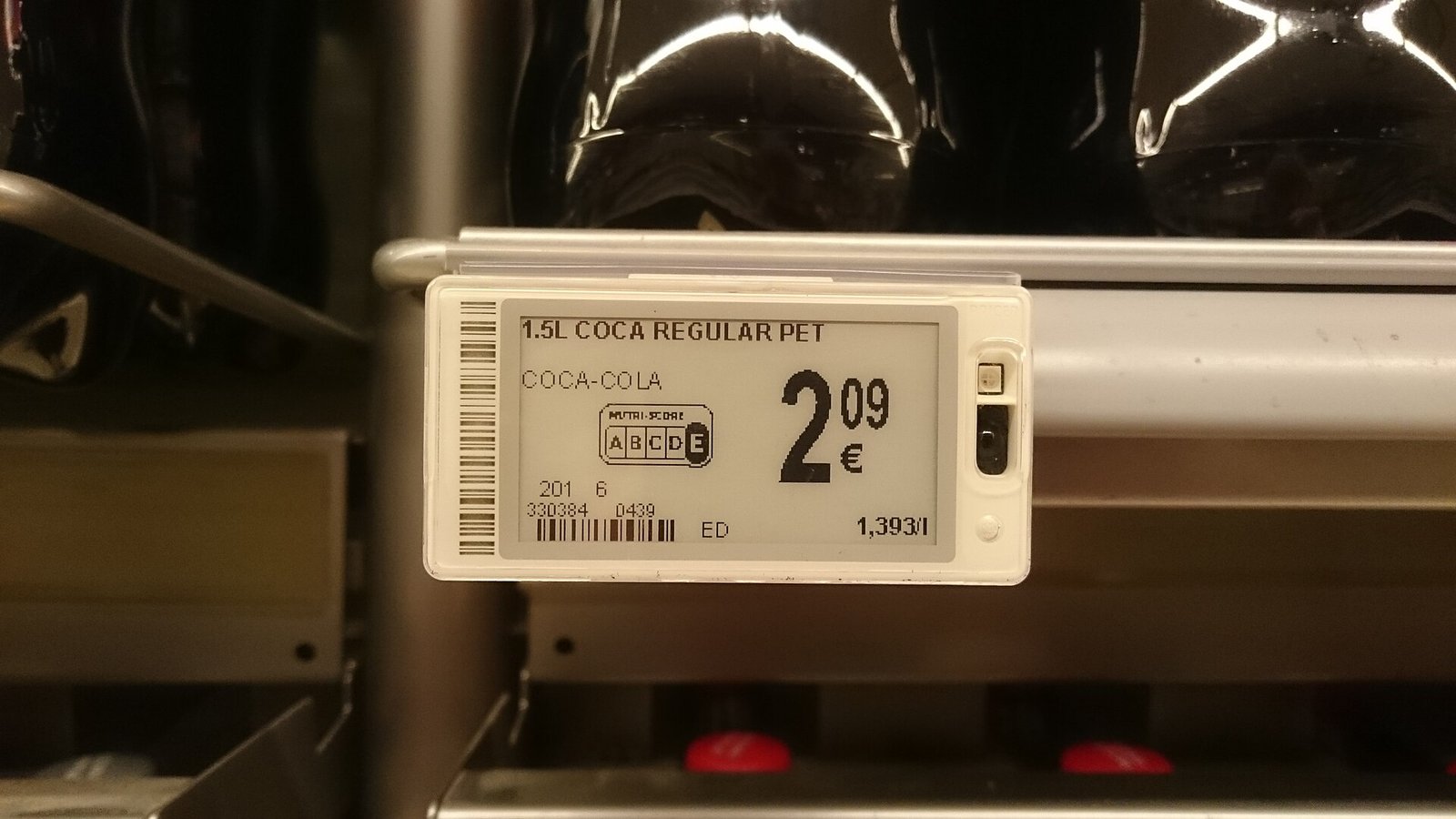
Electronic shelf labels are a system, not interchangeable screens. A label that looks clear on a vendor's desk may be too small behind glass, awkward on a peg hook, or unsuitable for a cold cabinet. Start with the physical job and a real product layout before comparing specifications.
This guide helps you shortlist hardware. Use the total-cost worksheet to price the complete setup, and the POS compatibility checklist to assess where its prices will come from.
Write a display brief before requesting samples
Walk the store and count the places that need a label. Count display positions rather than just products in your inventory: one SKU may appear on a shelf, an endcap, and a counter. Conversely, a product with several facings may need only one label if customers can clearly identify what it covers.
- Location: shelf rail, peg hook, freestanding item, hanging rack, counter, or enclosed display case.
- Required information: product name, variant, selling price, currency, unit price where required, and any applicable promotion or tax wording.
- Viewing conditions: typical distance, standing or seated eye level, overhead lighting, and reflections through glass.
- Update workload: routine changes, the largest promotion batch, and the time window in which changes must appear.
- Staff workflow: who pairs labels, moves products, changes batteries, and checks failed updates.
Separate must-haves from conveniences such as extra display colors, locator lights, or customer-facing QR codes. None substitutes for a readable price and a reliable update path.
Compare usable display area, not just diagonal size
A diagonal measurement does not tell you how much text will fit. Ask for active display dimensions, pixel resolution, supported colors, and a rendered sample using your longest product name and largest likely price. The enclosure and bezel also take shelf space, so record their dimensions separately.
Most e-paper labels rely on ambient light rather than emitting their own. They can be clear in a well-lit aisle but are not automatically readable in a dim cabinet. Check contrast and glare in the actual location, with the proposed cover and mount fitted.
- Read the main price at normal shopping distance, then check the smaller unit price and promotion conditions without moving the tag.
- Try long names, variant sizes, decimal places, and your actual currency formatting. Reject layouts that truncate information needed to distinguish products.
- Scan any barcode or QR code using the devices and angles you intend to support. Resolution, contrast, and available space matter.
- Ask how long a full refresh takes, whether the screen visibly flashes, and how extra colors affect refresh time and energy use.
- Do not use color alone to explain a sale or price type. Pair it with clear text and sufficient contrast.
A bigger screen is not always the answer. A simpler template or a better mounting angle may be more useful. Keep mandatory price information legible; confirm local display and unit-pricing requirements for your products.
Treat mounts as part of the hardware decision
Ask for samples of the exact rail, clip, stand, or holder in the quote. A generic photo does not prove a mount will fit your shelf edge. Measure the available height and depth, shelf lip profile, peg diameter, and clearance for adjacent products.
Have staff restock around the sample. Check whether it obscures merchandise, snags bags, shifts when bumped, or makes the label easy to associate with the wrong product. In a display case, compare viewing angles from both sides of the counter and leave room to remove inventory safely.
- Can a staff member remove or reassign a label without damaging the rail or neighboring tags?
- Does the mount need a release tool, security fitting, adhesive, or a replacement part after removal?
- Can staff identify the tag's serial number or pairing code after it is mounted?
- Will replacement tags of the quoted model fit the same mounts? Get any cross-model compatibility claim in writing.
Check operating conditions and cleaning instructions
Ambient, chilled, and frozen locations may require different label models. Confirm both operating and storage temperature ranges. Ask how low temperatures affect refresh behavior and battery performance, and whether condensation is covered by the specified enclosure rating and warranty.
A water-resistance rating is not permission to use every cleaning chemical or pressure-wash a label. Request the permitted cleaning method, chemical compatibility, and restrictions around food preparation or outdoor exposure. Test with your approved store procedures rather than improvising a cleaning method.
Turn a battery-life claim into service questions
Battery life depends on the model, temperature, update frequency, radio conditions, and features such as flashing LEDs. A vendor's estimate based on a few changes per day may not describe a store running frequent markdowns or market-linked prices. Ask for the assumptions behind the quoted service life.
- Are batteries replaceable by store staff, serviced by the supplier, rechargeable, or sealed inside a replace-only unit?
- What approved battery or service kit is required, and are replacement parts available in your region?
- Does the software report low batteries, how much warning is expected, and who receives the alert?
- Does servicing require new seals or re-pairing? What labor, disposal, shipping, and downtime should be budgeted?
Plan for a spare pool and an approved recycling route. Do not open sealed devices or substitute batteries without the supplier's instructions. E-paper can retain an old image with no working power, so a visible price is not evidence that the label is still connected.
Prove coverage with the complete system
Label systems use different communication methods, including proprietary radio, Bluetooth-based systems, and infrared. The store's Wi-Fi may connect a gateway to the internet without being the link used by the labels themselves. Confirm both connections, along with power, network, and placement requirements.
Do not size gateways from floor area alone. Metal shelving, filled cabinets, glass cases, walls, and the number of simultaneous updates can change performance. Some systems also depend on the direction or visibility of a transmitter. Ask for a site assessment and test the difficult locations with shelves stocked.
- Which label models and firmware versions work with the proposed gateways and management software?
- How many labels and updates can a gateway handle at the promised latency, not just at maximum enrollment?
- What power, Ethernet, Wi-Fi, firewall, cloud access, or local server provisions are required?
- Can staff see failed or overdue updates per tag? Does a status mean queued, transmitted, acknowledged, or actually verified on screen?
- What happens during a gateway, network, or cloud outage, and how are pending updates reconciled afterward?
Approve a pilot against written acceptance checks
Include representative shelf types, a difficult coverage location, a long product name, and your busiest expected change batch. Agree on the target update window and readability criteria before the trial. A short pilot can test workflow and connection reliability; it cannot prove a multi-year battery estimate.
- Fit: install the quoted mounts and have staff restock, move, and re-pair products.
- Read: review the actual templates from normal shopping positions, including small print and scanning.
- Update: time a representative batch and physically check the displays, not only the dashboard.
- Recover: with permission, interrupt a gateway connection and confirm alerts and recovery using the agreed fallback procedure.
- Record: document model numbers, firmware, mount types, results, unresolved failures, and the person responsible for each fix.
Only expand once the hardware and price workflow both pass. Carry the confirmed tag mix, gateway count, mounting plan, and battery-service assumptions back into the budget. A cheap label with an unworkable mount or unverified update path is not a finished solution.